Product Design · Desktop
The first visual workspace built for comic creators to reflect the way artists actually think.

DURATION
Jul 2025 - Present
TEAM
Personal project
ROLE
Product Designer
UX Researcher
The problem
Comic creators today lack dedicated digital tools for planning and organizing their stories.

Existing solutions(generic writing apps & sticky notes) fall short because they don’t reflect the visual, nonlinear, and highly interconnected nature of comic storytelling.
Using my own comic-making knowledge and info. online, I boiled down to four features to design: Story map, Characters, Script, and Chapter.

Final Product
Home screen


Create a new project from scratch / Template
Create a Scene
Create a Chapter through bulk-selecting scenes
Multi-page collaboration & Link script to existing scenes and characters
Create & link relationships between characters
View compiled scenes in Chapter
Split screen & Cross tab collaboration
Story map and the hierarchy of information
I organized information in layers with the story as the mother and action, emotion, dialogue and story point as the smallest unit.


Type '+' to start
Typing '+' anywhere triggers the create menu to open on the infinite canvas.

Further breakdown
'Set-up' contains additional building blocks.
💡 Challenge: Mimic the freedom of brainstorming on paper while maintaining the flexibility to create micro-level building blocks.

Upload or AI generate an image to better illustrate the scene. I used black background for flashback scenes as reference to how it's depicted in manga.
💡 AI is a sensitive topic to lots of artists. They must be able to choose whether they want to use it or not.

Linking establish connectivity between scenes. When the linking mode is selected at the bottom menu, lines can be drawn using the cursor.
I also created various card behaviors depending on how zoomed out/in it is.

Character chart
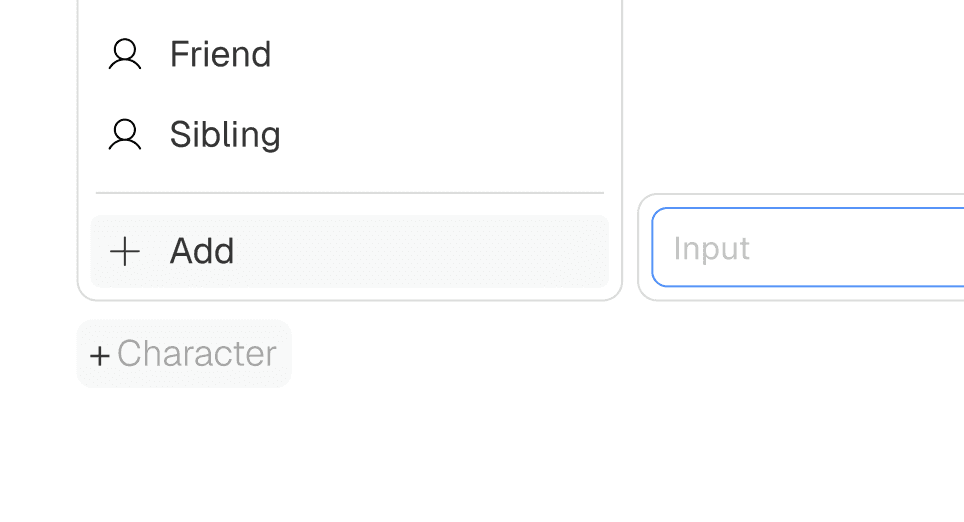
Categorize characters
Assign characters a pre-set or customized tag to define their roles.

Link script to characters
Establish connectivity between pages through linking dialogues.

Linking establish connectivity among characters. When the linking mode is selected at the bottom menu, lines can be drawn using the cursor.
Script
I kept only the absolutely necessary functions in the tool bar to avoid Storymap becoming a full-blown scripting tool. The highlighted icons enable linking when text in the script is selected.

When viewing Script in split-screen mode, hovering over a scene highlights the corresponding script.

In addition, new links can be established between a scene and script when the user drags to connect them.

Chapter
As a high level building block, users can observe plot organization and structure of their story.

Framing Scenes to Chapters
Bulk selected scenes can be turned into Chapter, set or act.

Flexible view
Chapter scenes can be viewed either horizontally and vertically.
Promotional website & Brand
More projects

Transaction Monitoring
Payment tracking and monitoring for single and batch transactions.

Storymap
Brainstorming tool for comic artists to unleash their creativity.